Developer Tech News

Deep technical updates for modern builders.

A curated set of developer-focused briefings covering framework security, cross-platform engineering, backend infrastructure, on-device AI, and professional hardware trends.

01Frontend Security12 min read

The Next.js & React May 2026 Security Patch: What Developers Need to Know

Earlier this month, the Next.js and React teams released an urgent coordinated security update addressing a broad set of vulnerabilities affecting modern React Server Components and production Next.js applications. The most important takeaway is simple: teams running affected versions should upgrade Next.js to 15.5.18 or 16.2.6 and ensure the related React Server Components packages are patched.

Next.js and React security patch illustration

The May 2026 security release is significant because it touches the exact part of the stack that many modern teams now rely on: server rendering, React Server Components, middleware, image optimization, caching, and the boundary between browser-visible content and server-only execution. These are not isolated edge cases for hobby apps. They are core pieces of enterprise Next.js architecture. When vulnerabilities appear in these layers, the risk is not only that one page breaks. The bigger issue is that authentication flows, internal network access, cached responses, server actions, and shared runtime resources can all be affected depending on how the application is deployed.

The official Vercel security release describes the update as a coordinated release covering denial of service, middleware and proxy bypass, server-side request forgery, cache poisoning, and cross-site scripting. Netlify summarized the same wave of disclosures as one React Server Components issue and eleven Next.js issues. In other words, the exact count may differ depending on whether the upstream React advisory is counted separately from the downstream Next.js impact, but the practical message is the same: this is a broad security event for teams using the App Router, React Server Components, middleware, shared caches, WebSocket upgrades, and advanced rendering features.

Why this patch matters

The most concerning category for infrastructure teams is server-side request forgery, commonly called SSRF. SSRF happens when an attacker can influence a server into making a request on their behalf. That matters because servers often have access to private networks, internal services, cloud metadata endpoints, service discovery systems, and APIs that are not directly exposed to the public internet. In the May 2026 Next.js advisory, the SSRF issue involved crafted WebSocket upgrade requests in self-hosted applications using the built-in Node.js server. The risk is that an attacker could cause the server to proxy requests to arbitrary internal or external destinations. For enterprise systems, that is a serious boundary problem because the server becomes the attacker’s bridge into places the attacker should never reach.

Denial of service is another major theme in this release. DoS vulnerabilities are sometimes underestimated because they do not always expose private data. That is a mistake. A production system that can be forced into high CPU usage, memory exhaustion, connection starvation, or repeated crashes is still a security problem. Revenue pages go down. Authentication systems become unreliable. Serverless bills can spike. Internal teams lose observability because logs are flooded with failure noise. The React Server Components advisory specifically warns that specially crafted HTTP requests to server function endpoints could trigger out-of-memory exceptions or excessive CPU usage in affected versions of the react-server-dom-webpack, react-server-dom-parcel, and react-server-dom-turbopack packages.

The React Server Components angle

React Server Components changed the way many developers think about React. Instead of treating React as only a client-side UI library, modern frameworks can now use React as part of the server rendering and data-fetching model. That gives teams better performance, smaller client bundles, and cleaner separation between server-only code and interactive client components. But it also means that React is now closer to sensitive server behavior. When the RSC protocol, server function decoding, or framework adapters mishandle malformed input, the impact can move beyond a normal frontend bug.

This is why the patched React Server Components packages matter even for teams who mostly think of themselves as Next.js developers. A Next.js application may pull in these packages indirectly. Your app might not manually import react-server-dom-webpack, but your framework and bundler can depend on it under the hood. That is also why simply scanning your application code for a vulnerable import is not enough. You need to inspect the lockfile, dependency tree, build output, and deployed runtime version.

What enterprise teams should audit

Start with the application inventory. Identify every Next.js app in your organization, including marketing sites, dashboards, admin tools, internal portals, documentation platforms, and preview deployments. Security teams often focus only on primary customer applications, but SSRF and DoS vulnerabilities can be just as damaging in internal tools, especially when those tools are deployed with broad network access.

Next, check the exact versions of Next.js and React-related server packages. For Next.js, affected 15.x apps should move to 15.5.18, while affected 16.x apps should move to 16.2.6. Older 13.x and 14.x applications should be evaluated carefully because the official guidance points teams toward upgrading to the patched 15 or 16 release lines. For React Server Components packages, check for react-server-dom-webpack, react-server-dom-parcel, and react-server-dom-turbopack. The patched versions are 19.0.6, 19.1.7, and 19.2.6 depending on your React minor version.

After that, review deployment architecture. The SSRF advisory is especially relevant to self-hosted applications using the built-in Node.js server and WebSocket upgrade handling. If your app sits behind a reverse proxy, load balancer, CDN, or platform adapter, do not assume you are safe without checking how upgrade requests, rewrites, forwarded headers, and origin access are handled. If the app can reach internal services, database dashboards, metadata endpoints, or private APIs, restrict egress at the network layer. Framework patches are essential, but network segmentation gives you another line of defense when the next vulnerability appears.

A safe production upgrade plan

The safest upgrade path is to create a dedicated security patch branch and update Next.js first. Run your package manager with an explicit version target, then inspect your lockfile to confirm that the patched React Server Components packages were resolved. After installation, run type checks, linting, unit tests, integration tests, and production builds. Pay close attention to App Router routes, server actions, middleware, image optimization, dynamic routes, cached pages, and any code that depends on headers, redirects, rewrites, or CSP nonces.

Before deploying to production, test the build in a staging environment that mirrors your real infrastructure. That means using the same CDN behavior, reverse proxy rules, runtime mode, environment variables, image settings, caching headers, and authentication middleware. A local test is not enough for this class of issue because several advisories involve shared caches, routing behavior, middleware/proxy logic, or deployment adapters. You want to catch differences between development behavior and production behavior before your users do.

Finally, deploy gradually. Start with a preview or canary deployment, monitor server errors, memory usage, CPU, response times, cache hit rates, authentication failures, and unusual outbound network activity. If the application handles payments, admin sessions, or enterprise customer data, keep a rollback plan ready, but do not use rollback as a substitute for patching. If you must temporarily roll back because of a breaking change, isolate the vulnerable service, block unnecessary WebSocket upgrades, strip untrusted inbound security headers where relevant, restrict origin egress, and schedule the corrected patch immediately.

The bigger lesson

The May 2026 Next.js and React patch is a reminder that frontend frameworks are now full-stack infrastructure. Modern React apps are not just rendering buttons. They are routing requests, streaming server payloads, enforcing middleware, optimizing images, caching dynamic responses, and executing server-side logic. That power is why frameworks like Next.js are so productive, but it also means teams must treat framework upgrades as part of their security program.

For developers, the best response is not panic. The best response is discipline: know your versions, read advisories, keep lockfiles clean, test upgrades in realistic environments, and design systems with layered defenses. Patch the framework, but also protect your origin. Patch React Server Components, but also validate inputs and monitor resource usage. Patch middleware issues, but also confirm that authorization does not depend on one fragile route pattern. That is how teams turn a security advisory into a stronger architecture.

02Cross-platform13 min read

Flutter 3.44 and the Shift to GenUI: A New Era for Cross-Platform Apps

Flutter 3.44 is one of the most important Flutter releases in recent years because it does more than add features. It signals a major shift in how Flutter apps will be built, rendered, customized, and extended across platforms. Announced around Google I/O 2026, this release introduces Hybrid Composition++ for Android, makes Swift Package Manager the default for iOS and macOS, improves Vulkan support for Impeller, pushes forward the GenUI movement, and begins the long-term decoupling of Material and Cupertino from the core framework.

Flutter 3.44 and GenUI cross-platform development illustration

For years, Flutter has been known for one core promise: one codebase, beautiful UI, and native-feeling performance across mobile, web, desktop, and embedded screens. Flutter 3.44 expands that promise into something more ambitious. The framework is no longer focused only on helping developers draw pixels consistently across platforms. It is now moving toward a future where applications can be more adaptive, more AI-aware, more modular, and more deeply integrated with the native capabilities of each operating system.

The biggest architectural signal in Flutter 3.44 is the decision to begin decoupling Material and Cupertino from the core Flutter framework. Material and Cupertino have historically been central parts of the Flutter developer experience. Material made it easy to build Android-style and Material Design interfaces, while Cupertino gave developers iOS-style components that felt familiar to Apple users. That convenience helped Flutter grow quickly, but it also meant that the core framework carried UI libraries that did not always need to be part of the lowest-level foundation.

By freezing Material and Cupertino inside the framework and preparing them to move into standalone packages, Flutter is becoming more modular. This matters because a lighter core framework is easier to evolve, easier to maintain, and easier to adapt for specialized platforms. Not every Flutter project needs the same UI system. A car dashboard, a smart TV app, a desktop productivity tool, a finance dashboard, and a mobile social app may all use Flutter, but they may not all need the same Material or Cupertino assumptions baked into the framework itself.

This shift also gives the Flutter team more flexibility to update design systems independently. When Material and Cupertino live as separately versioned packages, their release cycle can move at a different pace from the engine and framework. That means design components can improve without requiring every change to be tied directly to a full Flutter stable release. For teams building production applications, this could eventually mean more predictable dependency control, cleaner upgrades, and better separation between the rendering foundation and the visual design layer.

Hybrid Composition++ changes Android platform views

Another major highlight is Hybrid Composition++ for Android, also known as HCPP. This is especially important for apps that embed native Android views inside Flutter screens. Common examples include Google Maps, WebView, camera previews, ads, payment SDK screens, video players, and native enterprise components that cannot easily be rewritten in pure Flutter. Platform views have always been one of the trickier parts of Flutter because they require Flutter-rendered UI and native Android-rendered UI to appear together smoothly.

Older Android composition strategies often forced developers to accept tradeoffs. Some approaches improved compatibility but hurt performance. Others improved frame rates but created issues with text input, scrolling, z-ordering, clipping, or visual fidelity. Hybrid Composition++ is designed to reduce those tradeoffs by delegating more layer compositing work directly to the Android operating system. It uses Vulkan and SurfaceControl transactions to better synchronize Flutter content with native Android views.

For developers, the practical result should be smoother scrolling, more accurate touch input, better native view behavior, and improved support for SurfaceView-based components. This matters for real-world applications because many production Flutter apps are not pure widget trees. They often depend on mature native SDKs for maps, identity verification, banking flows, advertising, analytics, video, camera access, or enterprise integrations. The better Flutter handles those embedded native surfaces, the easier it becomes to use Flutter in complex production environments.

HCPP is also a sign that Flutter is becoming more comfortable leaning into native platform capabilities where it makes sense. Flutter still controls its own rendering pipeline, but the framework is not trying to solve every problem by forcing everything through one abstraction. Instead, Flutter 3.44 shows a more pragmatic direction: keep the productivity and visual consistency of Flutter, but cooperate more intelligently with the platform when native composition produces better results.

GenUI is the bigger story

The most forward-looking part of Flutter 3.44 is the push toward GenUI, short for Generative UI. Traditional AI features usually place a chatbot inside an app. The app remains mostly static, and the AI assistant returns text, summaries, recommendations, or simple actions. GenUI changes that model. Instead of only generating text, the agent can help generate the interface itself. The UI can become adaptive, contextual, and interactive based on the user’s goal.

Flutter is well positioned for this because Flutter apps are already built from composable widgets. A Flutter interface is not just a static document. It is a tree of reusable visual and interactive components. That makes it a natural fit for AI-driven systems that need to choose, arrange, and update interface elements dynamically. Instead of an assistant saying, “Here are your options,” a GenUI-powered Flutter app could generate a comparison card, a chart, a form, a checklist, a timeline, or a custom dashboard that fits the current task.

The Flutter team’s GenUI work is tied to A2UI, an open protocol designed to help agents and clients collaborate on UI composition and state. This is important because AI-generated interfaces need structure. If every model response is treated as raw text, the app cannot reliably render rich components. A protocol gives the agent and Flutter client a shared language for describing surfaces, components, state changes, and interactions. That shared structure is what turns a chatbot response into a real interface.

Recent updates to Flutter’s GenUI package also show a more flexible architecture. The package has moved away from hiding the model connection behind older generator abstractions and toward a cleaner separation between the UI surface controller, the transport layer, and the conversation layer. That gives developers more control over which AI model they use, how prompts are built, how chat history is managed, how retries work, and how errors are handled. In production apps, that control matters. Teams need observability, testing, fallback behavior, and model-provider flexibility.

What this means for Flutter developers

For everyday Flutter developers, Flutter 3.44 changes the roadmap in three major ways. First, developers should start thinking about UI libraries as dependencies, not permanent framework assumptions. Material and Cupertino are still important, but the future is more package-driven. That means teams should keep their dependencies clean, watch migration guides, and prepare for a world where design systems can evolve more independently.

Second, Android developers should pay close attention to HCPP if their apps rely on platform views. Apps with maps, WebViews, camera previews, or native SDK surfaces should test the new composition mode early. Even if it is not enabled by default for every app today, it points toward the future rendering path for complex Android integrations. Testing now gives teams a chance to catch plugin issues, device-specific behavior, and performance changes before the feature becomes a default expectation.

Third, developers should start learning how GenUI changes app architecture. GenUI is not just a design trend. It affects state management, component design, validation, security, testing, and user trust. If an AI agent can influence the UI, developers must decide which components are safe to expose, which actions require confirmation, which data can be sent to the model, and how to prevent confusing or harmful generated experiences. The future Flutter developer may spend less time manually wiring every screen and more time designing safe component catalogs, strong prompts, predictable interaction rules, and reliable fallback states.

The expert take

Flutter 3.44 feels like a maturity release. It keeps improving performance and platform support, but its bigger message is architectural. Flutter is becoming more modular through Material and Cupertino decoupling. It is becoming more native-aware through Hybrid Composition++. It is becoming more AI-ready through GenUI and A2UI. And it is becoming more suitable for large-scale product teams that need one framework to target phones, desktops, embedded screens, web apps, vehicles, TVs, and AI-native experiences.

The shift to GenUI will not replace traditional Flutter development overnight. Developers will still need clean widgets, strong state management, good design systems, accessibility, performance testing, and careful platform integration. But the way interfaces are assembled may change dramatically. Instead of every user seeing the same fixed flow, future Flutter apps may generate parts of the experience based on context: the user’s intent, device type, accessibility settings, history, permissions, and current task.

That is why Flutter 3.44 matters. It is not just a version bump. It is a signal that cross-platform development is entering a new phase. The winning apps will not simply be the ones that run everywhere. They will be the ones that adapt everywhere. Flutter’s combination of composable UI, strong rendering control, growing native integration, and AI-facing architecture gives developers a serious foundation for that future.

03Backend12 min read

Supabase’s Push to Postgres 17: What the May 2026 Update Means for Modern Backend Architecture

Supabase’s May 2026 developer updates are more important than they may first appear. On the surface, the announcements seem straightforward: improved Data API controls, a new @supabase/server package, and an upcoming shift in self-hosted Docker defaults from Postgres 15 to Postgres 17. But together, these changes represent something much bigger. They show Supabase continuing its evolution from a convenient backend platform into a more mature Postgres-first architecture platform—one that gives developers greater control over exposure, stronger server-side patterns, and a clearer upgrade path for long-term scalability.

Supabase Postgres 17 backend architecture illustration

For developers building web and mobile products at scale, this is the kind of update that deserves more than a quick skim. Supabase is widely used because it offers a very attractive balance: managed Postgres, auth, storage, realtime, serverless functions, and instant APIs, all under one platform. That developer experience is powerful, but as applications grow, convenience must be balanced with control. The May 2026 changes are best understood through that lens. Supabase is not moving away from fast developer experience. Instead, it is improving the boundaries around it.

Why the new Data API controls matter

Supabase’s Data API has always been one of its most compelling features. Because it auto-generates a REST interface directly from your database schema, teams can move very quickly. You can create tables, enable Row Level Security, and start querying data from a frontend or service almost immediately. That model is excellent for prototyping and still highly effective for production apps. But over time, large applications often hit an architectural reality: not every table, function, or schema object should be casually exposed through an auto-generated API, even when Postgres grants and RLS are in place.

That is why the revamped Data API settings are a meaningful improvement. The new per-table and per-function toggles give developers a more direct and operationally clear way to decide what should be reachable from PostgREST or GraphQL and what should remain internal. This is more than a dashboard convenience. It changes the mental model. Instead of assuming exposure and then layering permissions on top, teams can now think in terms of deliberate exposure. In other words, objects should be available because you intentionally exposed them, not because they happened to exist in the schema.

That is good architecture. In mature systems, reducing accidental surface area matters. It improves security posture, reduces confusion for developers, and makes API contracts easier to understand. It also fits cleanly with Supabase’s documented Data API security model, where access depends on both Postgres grants and Row Level Security. With the new controls, there is a stronger separation between “this object exists in the database” and “this object is part of the app’s public or semi-public API surface.”

For modern teams, the practical takeaway is simple: use the Data API for what it does best, but stop treating every table as application-facing by default. Reserve exposure for stable, intentional resources. Keep internal workflow tables, queue tables, audit tables, and sensitive operational tables out of the app-facing surface unless there is a strong reason to expose them.

What @supabase/server changes on the application layer

The introduction of @supabase/server is another signal that Supabase is maturing its backend story. A common pain point in modern web frameworks is server-side setup boilerplate: verifying auth, wiring request context, creating a properly scoped Supabase client, ensuring headers and cookies are handled correctly, and keeping those patterns consistent across route handlers, loaders, server actions, and edge or node runtimes. None of that work is especially glamorous, but it matters a lot for correctness.

The new server package aims to reduce that friction. Architecturally, this is important because server-side consistency is one of the easiest things to lose as a codebase grows. One route uses a user-scoped client, another accidentally uses elevated credentials, a third forgets to forward auth state correctly, and a fourth duplicates helper logic badly. A dedicated server package helps standardize those patterns so teams can write business logic instead of rebuilding setup code in every framework layer.

For developers building Next.js, Remix-style apps, Hono backends, or other server-rendered systems, the biggest benefit is maintainability. Centralized client creation and auth verification make it easier to enforce a clean boundary between user-context operations and privileged server operations. That is especially important if your app mixes browser access, server rendering, cron jobs, admin dashboards, and API routes.

The real architectural lesson is that Supabase is encouraging developers to stop thinking only in terms of frontend-to-database access. That direct model still has value, especially for read-heavy, user-scoped features protected by RLS. But many serious applications benefit from a stronger three-tier pattern: frontend, application server, and database. The new server SDK makes that three-tier model more ergonomic while preserving the productivity developers expect from Supabase.

The shift to Postgres 17 is the bigger long-term story

The Postgres 17 migration is where the backend strategy becomes even more obvious. According to Supabase’s self-hosted guidance, the default self-hosted Docker image will move from Postgres 15 to Postgres 17 in mid-June 2026. That matters because database versions are not cosmetic. They shape performance, extension compatibility, operational tooling, and future feature availability.

Supabase notes that Postgres 17 is already the platform default, and this shift aligns self-hosted environments with the hosted platform. That kind of alignment is valuable. It reduces drift between deployment models and makes documentation, support, and operational expectations more consistent. It also means self-hosted users are being nudged toward a newer and more future-ready baseline instead of remaining indefinitely on an older default.

However, this is not a drop-in upgrade for everyone. Supabase explicitly warns that if you are self-hosting and you pull the new compose defaults without pinning your Postgres image, you can be affected. Existing PG 15 data directories do not auto-upgrade, and the new PG 17 image cannot read a PG 15 data directory directly. That is an operationally important detail. It means teams cannot treat this as a normal image refresh. They need a planned migration.

There is another major caveat: some extensions are not included in the PG 17 images, including timescaledb, plv8, plcoffee, and plls. If your stack depends on those, you need to assess compatibility before moving. This is exactly why backend teams should treat database upgrades as architecture work, not mere maintenance. Extensions, backup strategies, startup behavior, query plans, and migration tooling all need review.

How to navigate the change safely

If you are using Supabase hosted in the cloud, this announcement is mostly a signal about where the platform is headed. If you are self-hosting with Docker, it is a planning event. The first step is to inventory your environment: current Postgres version, image pinning strategy, volume layout, critical extensions, logical replication setup, background jobs, and restore procedures. If you do not know those details, you are not yet ready for the upgrade.

Next, decide whether you are upgrading immediately or pinning to PG 15 for a transitional period. Supabase explicitly says pinning a specific 15.x image remains supported, and that is a sensible temporary option if you need more time. But it should be a conscious delay, not an indefinite avoidance plan. New features and fixes will land on PG 17 first, so the longer you wait, the wider the operational gap can become.

If you do upgrade, treat it as a migration project. Back up ./volumes/db/data, preserve the pgsodium key, test the upgrade script in a staging copy, benchmark critical queries, and validate your extensions and connection behavior. If your application uses connection pooling, background workers, or long-running jobs, test those patterns carefully. Database upgrades often succeed at the data layer but still expose hidden application assumptions under load.

Optimizing data fetching for modern web apps

The most practical developer question is: how should we build on Supabase after these changes? The answer is to be more intentional about where data fetching happens. Use the browser-facing Data API for user-scoped, low-risk access patterns that pair naturally with RLS. Use @supabase/server when you need stronger control over auth, request context, caching, orchestration, or privileged business logic. And use direct Postgres access or server-side workflows for the parts of your system that should never be part of the browser-facing API surface.

In other words, do not force one access pattern to handle everything. Modern web apps perform best when data access is layered. Public-facing UI queries may come through the Data API. Server-rendered routes may use request-scoped Supabase clients. Admin jobs may use service-role-backed server code. Heavy analytics or reporting may hit read replicas or dedicated pipelines. This layered approach improves performance, security, and maintainability.

The best teams will also use the new controls to simplify their contracts. If a table is not meant for the frontend, do not expose it. If a function should only be triggered from trusted server code, keep it behind the application layer. If a user-facing route needs predictable performance, avoid over-fetching and keep the query shape tight. Supabase still gives you speed, but this update encourages a more disciplined form of speed.

The expert take

The bigger lesson from this Supabase update is that the platform is becoming more opinionated in the right places. The Data API is getting clearer boundaries. Server-side development is getting a first-class SDK. Self-hosted infrastructure is being aligned to a newer Postgres baseline. Each of these changes points in the same direction: faster developer experience, but with stronger architectural defaults.

For backend-focused developers, that is good news. It means Supabase is becoming easier to use responsibly at scale. The teams that benefit most will be the ones that lean into that direction now: tighten Data API exposure, centralize server-side Supabase setup, plan Postgres upgrades deliberately, and design data fetching around explicit boundaries instead of convenience alone. That is how you keep modern web applications fast without letting the backend become fragile.

04AI12 min read

Agentic AI and On-Device Processing: The Next Shift in Mobile App Architecture

Mobile AI is moving past the simple pattern of sending a prompt to a cloud LLM and waiting for a response. The new direction is agentic AI: systems that understand context, plan multi-step actions, choose tools, remember user preferences, and proactively help users complete tasks. At the same time, mobile platforms are pushing more AI execution onto the device using models such as Gemini Nano on Android and Apple’s on-device foundation models. This combination changes how developers should think about latency, privacy, offline support, battery usage, and application architecture.

Agentic AI and on-device processing illustration

For the last few years, most AI-powered mobile features followed a predictable architecture. A user typed something into an app, the app sent that text to a cloud model, the model generated a response, and the app displayed the result. This model works well for many use cases, especially when the task requires a large frontier model, long reasoning chains, web access, or heavy multimodal processing. But it also creates familiar engineering tradeoffs: network dependency, response delays, API costs, privacy concerns, rate limits, and unpredictable behavior when the user is offline.

On-device AI changes that equation. Instead of treating the phone as a thin client that waits for intelligence from the cloud, developers can now run smaller, optimized models directly on the device. Gemini Nano on Android is one example of this direction. It runs through Android’s AICore system service, which manages model availability, runtime behavior, and hardware acceleration. The goal is not to replace every cloud model. The goal is to move the right kind of intelligence closer to the user, where it can respond quickly, preserve sensitive context, and continue working even when connectivity is limited.

Cloud AI versus edge AI

The engineering difference between cloud AI and edge AI starts with where the data goes. In a cloud-first AI feature, the app gathers user context, formats a prompt, sends that prompt to a remote model, and receives a generated result. The cloud model may be more capable, but the request leaves the device. That makes the feature dependent on internet quality, server availability, token pricing, and external privacy controls. It also means developers must think carefully about what personal data is included in the prompt.

In an edge-first AI feature, the app keeps the data local whenever possible. The model runs on the phone, tablet, laptop, or embedded device. This allows the app to summarize local notes, classify messages, suggest actions, generate short replies, extract entities, detect intent, or personalize UI flows without sending the raw content to a remote server. The tradeoff is that on-device models are usually smaller than cloud frontier models. They may have stricter context limits, narrower task coverage, and more sensitivity to memory, thermal state, and battery constraints.

The best architecture is usually hybrid. Use on-device AI for fast, privacy-sensitive, repetitive, and context-aware tasks. Use cloud AI for heavy reasoning, large knowledge tasks, complex generation, external tool access, or workflows where the user has clearly approved remote processing. This gives users the best of both worlds: local intelligence for immediate assistance and cloud intelligence for tasks that require more power.

What makes AI “agentic”?

A normal AI feature answers a request. An agentic feature works toward a goal. That difference matters. A chatbot might respond to, “Summarize this meeting.” An agentic assistant might detect that a meeting just ended, summarize the notes, identify action items, check the calendar, draft a follow-up message, and ask the user before sending it. The system is not just generating text. It is observing context, planning steps, using tools, maintaining state, and deciding when to ask for confirmation.

On mobile, agentic AI becomes especially powerful because phones are rich with context. They know location, motion, time, calendar events, notifications, app usage patterns, Bluetooth devices, camera input, microphone input, and user routines. But this is also why local processing matters. The more personal the context, the more carefully developers must protect it. An app that predicts what the user needs should not blindly upload every signal to a remote model. It should process sensitive signals locally, minimize retention, and escalate to the cloud only when necessary and clearly justified.

Architecting a proactive on-device AI app

A strong architecture starts with a local context layer. This layer gathers signals from the app and device in a controlled way: recent user actions, saved preferences, calendar metadata, local documents, notification categories, location state, and current screen context. The key is to avoid collecting everything just because it is available. Proactive AI should be built around purpose-specific signals. If the app is a productivity tool, it may need tasks, deadlines, and recent notes. If it is a fitness app, it may need workout history and sensor summaries. If it is a finance app, it may need spending categories but not raw private messages.

The next layer is local inference. This is where an on-device model such as Gemini Nano can classify intent, summarize short content, extract entities, detect urgency, or generate a lightweight suggestion. For example, a task app could notice that the user repeatedly opens a project board every Monday morning and locally prepare a suggested weekly review. A travel app could detect an upcoming flight from local itinerary data and suggest packing reminders. A messaging app could generate reply drafts without sending private conversations to the cloud.

Above that, the app needs an agent planner. The planner does not have to be complicated at first. It can be a rules-plus-model system that converts local predictions into safe proposed actions. For example: “The user has a meeting in 20 minutes, traffic is heavy, and they usually join from their phone. Suggest opening the meeting link.” The app should not silently take a major action. It should surface a clear recommendation, explain why it appeared, and let the user approve, dismiss, or adjust it.

Tool execution is the next important piece. Agentic systems need access to actions: create a reminder, draft a message, start navigation, update a task, open a document, change a setting, or trigger a workflow. These tools should be strongly typed and permissioned. The model should never receive unlimited control over the app. Instead, the app should expose a small set of safe functions with clear input schemas, validation, and confirmation rules. Low-risk actions can be automated. High-risk actions, such as sending a message, making a purchase, deleting data, or changing account settings, should require explicit user approval.

Security and privacy by design

On-device processing is not automatically secure just because it is local. Developers still need careful data handling. Sensitive prompts should be short-lived. Local embeddings, summaries, and preference memories should be encrypted where appropriate. The app should provide controls for deleting AI memory, disabling proactive suggestions, and choosing whether cloud fallback is allowed. If a cloud model is used, the app should clearly separate local-only tasks from remote tasks so the user understands what is happening.

A good privacy architecture also avoids raw-data hoarding. Instead of storing full messages, documents, or location histories, store minimal derived signals: topic labels, task deadlines, user-approved preferences, and short summaries. This reduces risk if the device is compromised and makes the system easier to explain. The model does not need unlimited memory to be useful. It needs the right memory, scoped to the user’s goals.

Performance and battery constraints

Mobile AI must respect the device. Developers should avoid running inference constantly in the background. A better design is event-driven: run local inference when the user opens a screen, when a relevant notification arrives, when the device is charging, or when the app has a clear reason to prepare a suggestion. Cache lightweight results, debounce repeated analysis, and avoid regenerating suggestions when the underlying context has not changed.

Battery, thermal state, and memory pressure should influence AI behavior. If the device is hot or low on power, the app can switch to simpler heuristics, delay proactive work, or ask the user before running a heavier task. This is one of the biggest differences between mobile AI and server AI. On a server, the main cost is infrastructure. On a phone, the cost is felt directly by the user through heat, battery drain, and slow UI.

The expert take

Agentic AI and on-device processing are converging because they solve each other’s biggest problems. Agents need context to be useful, and phones have the richest personal context available. But that context is sensitive, so local processing is the safest default. On-device models make it possible to build assistants that are fast, private, offline-capable, and deeply integrated into the user experience.

The future mobile app will not simply wait for the user to tap buttons. It will prepare the next step, explain the recommendation, and ask for permission at the right moment. The winning architecture will be hybrid: local models for private, immediate intelligence; cloud models for complex reasoning; typed tools for safe action; and user controls for trust. That is the real shift. AI is moving from a remote feature to a local layer of the app itself.

05Hardware12 min read

The Mac Studio M5 Delay and Developer Hardware: What the RAM Crunch Means for Pro Workflows

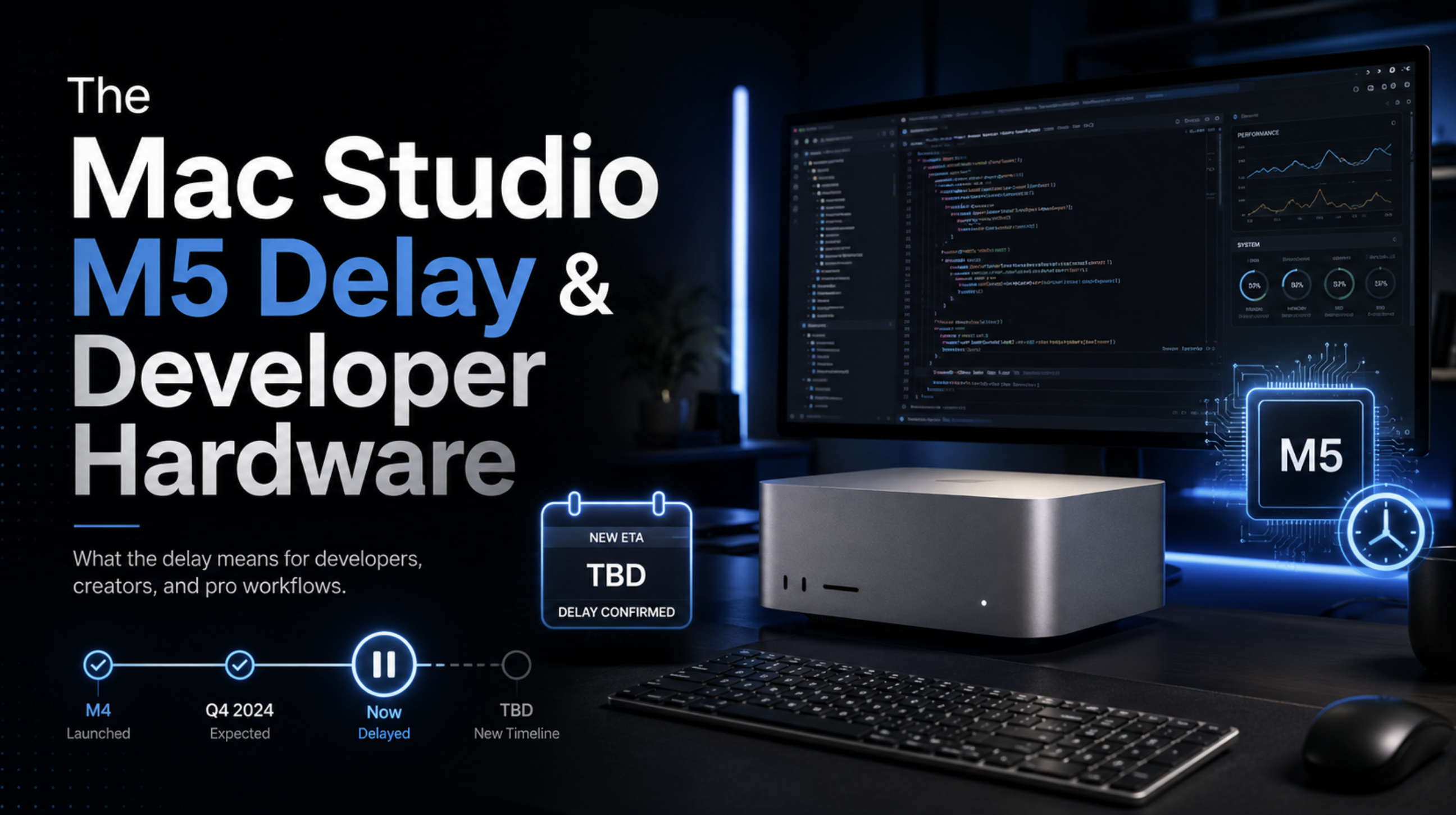
The next Mac Studio is one of the most anticipated developer machines of 2026, especially for engineers waiting on M5 Max and M5 Ultra configurations. But recent supply-chain reports suggest the refresh may not arrive until October 2026, with the delay tied to a global memory shortage driven by AI data centers. For developers running heavy cross-platform compile workloads, local AI models, containerized services, simulators, and creative pipelines, this is more than an Apple rumor. It is a signal that developer hardware is now directly competing with AI infrastructure for the same memory supply.

Mac Studio M5 delay and developer hardware illustration

For years, developer hardware buying advice was fairly simple: buy the fastest machine you can reasonably afford, keep enough memory for your workload, and upgrade when your current setup becomes a bottleneck. In 2026, that advice is harder. The rise of AI infrastructure has changed the economics of memory. Data centers are buying enormous amounts of DRAM and high-bandwidth memory to support model training, inference, retrieval systems, and autonomous agent workloads. That demand does not only affect cloud providers. It also affects the laptops and desktops that developers rely on every day.

The reported Mac Studio delay sits directly inside that bigger industry shift. Apple has not officially announced an M5 Mac Studio, but multiple Mac-focused reports point to a next-generation model built around M5 Max and M5 Ultra chips. Those chips would naturally appeal to developers who want a desktop-class Apple silicon machine with more thermal headroom, more GPU power, more CPU capacity, more memory bandwidth, and larger unified memory ceilings than a laptop. The problem is that the most desirable configurations are exactly the configurations most exposed to a memory shortage.

Why RAM is now the pressure point

Modern developer workloads are memory-hungry. A full-stack engineer may be running a Next.js app, a Flutter build, Android Studio, Xcode, Docker, Postgres, Redis, browser tabs, design tools, iOS simulators, Android emulators, and background AI coding tools at the same time. A mobile engineer may need multiple simulators, large Gradle caches, Swift builds, test runners, and device logs open all day. A backend engineer may run local Kubernetes clusters, database replicas, observability tools, and integration test suites. Once local AI models enter the workflow, memory pressure increases again.

This is why Apple’s unified memory architecture has become so attractive. Apple silicon allows the CPU, GPU, and Neural Engine to access a shared memory pool. For many creative and AI workloads, that design can be more useful than a traditional split between system RAM and discrete GPU VRAM. A large model, a video project, or a heavy development environment can benefit from a unified pool instead of being constrained by a small GPU memory limit. That advantage is one reason high-memory Macs have become attractive not only to software developers, but also to local AI researchers, startups, and companies experimenting with private inference.

The downside is obvious: when memory becomes scarce, the machines that need the most of it become harder to ship. AI data centers are consuming memory at a scale that consumer and professional computers cannot easily compete with. Memory manufacturers are incentivized to prioritize the most profitable and strategically important customers, especially when demand for AI servers is intense. That creates a squeeze for workstation-class products like the Mac Studio.

Why the Mac Studio matters to developers

The Mac Studio fills a specific gap in Apple’s lineup. It is not a laptop, so it can sustain heavier performance without the same battery and thermal constraints. It is not a Mac Pro tower, so it remains compact and more accessible for many studios and engineering teams. For developers, that combination is useful. A Mac Studio can sit on a desk as a build machine, local testing box, AI experimentation workstation, or primary development computer for cross-platform work.

The rumored M5 Ultra version is especially interesting because Ultra-class Apple silicon typically targets workloads that scale beyond what a laptop can comfortably handle. Think large Xcode builds, multi-platform CI tasks, native iOS and macOS compilation, video processing, machine learning experiments, 3D tools, and running local services alongside heavy IDEs. Developers who build Flutter, React Native, native iOS, Android, desktop, and backend systems on the same machine can quickly reach a point where memory and sustained performance matter more than short benchmark bursts.

That is why an October delay matters. A developer waiting for the M5 Ultra Mac Studio may be delaying a real productivity upgrade. If your current machine is already choking during daily work, waiting several more months has a cost. Slow builds, simulator lag, memory swapping, and unstable local environments compound over time. Hardware is not just a purchase; it is part of your development pipeline.

Should developers wait for M5 Ultra?

The answer depends on the workload. If you are running truly heavy desktop workloads, the M5 Ultra Mac Studio may still be worth waiting for. That is especially true if you need the highest memory ceiling Apple offers, plan to run local AI models, build large native apps, or want a workstation that can stay relevant for several years. A desktop chip with stronger thermals and potentially larger unified memory configurations should offer a better ceiling than a laptop.

Waiting also makes sense if your current setup is acceptable and your workload is growing toward workstation territory. For example, if you are moving from normal app development into AI-assisted local inference, multi-platform CI, media-heavy development, or large monorepo builds, the next Mac Studio may be a better long-term investment than buying a high-end laptop today and wishing you had more headroom later.

But not every developer should wait. Apple’s current M5 Pro and M5 Max MacBook Pro configurations are already very strong. The M5 Max MacBook Pro supports up to 128GB of unified memory, which is enough for many advanced development workflows. If you need portability, work from multiple locations, travel often, or do client work away from a desk, the MacBook Pro remains the more practical tool. For many developers, a powerful laptop connected to an external display is still the best balance of performance and flexibility.

The hidden cost of waiting

The biggest mistake is treating “waiting” as free. If your daily workflow is already slowed by memory pressure, you are paying for that delay in time. Every long build, every frozen simulator, every Docker restart, and every browser tab you close just to keep your machine usable is a hidden tax. Over weeks and months, that cost can exceed the difference between buying now and waiting for a future configuration.

Developers should measure their real workload before deciding. Open Activity Monitor during your heaviest workday. Check memory pressure, swap usage, CPU load, GPU load, disk activity, and thermal throttling. If your machine is constantly swapping memory to disk, more RAM will likely help more than a small CPU improvement. If your CPU is pinned during builds but memory pressure is low, a faster chip may matter more. If your machine slows only when running local AI models, you may need a different hardware strategy entirely.

Cloud, desktop, or laptop?

There is also a third option: do not put every workload on your personal Mac. Some teams should move heavy builds to remote CI, use cloud Mac infrastructure for release builds, or run backend integration tests on dedicated servers. A local workstation should make development fast, but it does not need to carry every production-like workload alone. The RAM shortage may push more teams toward hybrid development infrastructure: strong local machines for interactive work and cloud resources for repeatable heavy jobs.

That strategy is especially useful for teams building cross-platform apps. Flutter, React Native, native iOS, Android, and web projects can create huge local toolchains. Instead of requiring every engineer to own the most expensive workstation, teams can standardize local development on capable MacBook Pro configurations and offload builds, test matrices, and release packaging to CI. This reduces hardware dependency and makes the team less vulnerable to supply-chain delays.

The expert take

The reported Mac Studio M5 delay is not just an Apple story. It is a developer infrastructure story. AI has changed the value of memory across the entire hardware market. The same chips and memory capacity needed for data centers are now shaping the availability, pricing, and timing of pro developer machines. That means engineers need to think more strategically about hardware purchases.

If you need maximum desktop performance, large unified memory, and long workstation lifespan, waiting for an M5 Ultra Mac Studio may be the right call. If you need a machine now and can work within a 64GB to 128GB memory range, the M5 Max MacBook Pro is already a serious developer machine. If your team is scaling, the smartest answer may be a hybrid setup: strong local Macs, remote CI, cloud build workers, and careful workload separation.

The bigger lesson is that developer productivity is no longer only about CPU speed. Memory capacity, memory bandwidth, thermal design, local AI requirements, and supply-chain timing now matter just as much. The best machine is not simply the newest one. It is the machine that removes the most friction from the work you actually do every day.